Website powered by

N5 Character Guidelines

Tutorial / 28 March 2025

What different between N5 and G2 characters:

N5 characters are the next generation after G2 characters, they inherit the outstanding features of G2 characters but use UE5 Manny Simple skeleton and 02 secondary bones "clavicle_pec_r" and "clavicle_pec_l" while G2 characters use UE4 skeleton, so they are different in body form as well as how the skeleton works with animations.

Despite these differences, both G2 and N5 can harmoniously coexist within the same project, sharing a majority of resources located in the Common folder directory such as Material Master and Textures. To synchronize animations seamlessly between them, utilizing retarget pose from mesh is key, ensuring a cohesive blend of movements and actions across both character generations.

In Unity N5 characters rigged with Humanoid so it ready working with Humanoid animations and you don't need do anything.


How to using Chaos Cloth assets

Q: Why using Chaos Cloth Asset?
A: Look at this image to see the potential for better optimization for Draw Call

Q: When and Which?
A: With each skeleton mesh asset including cloth physic simulation such as Dress, Cloak .... in curent Cloth Asset not really support Hair Shader so all skeleton mesh including hair card won't using this way.

Of course, this is partly due to the reduced number of Material Sections because of the use of Virtual Textures.

Chaos Cloth assets will have a name starting with CA_ and it will look like this


Examples of using Chaos Cloth


The usage of Chaos Cloth Asset is similar to using Skeleton Mesh in BP_Character; instead of adding Skeleton Mesh, you add Chaos Cloth

Chaos Cloth Asset is still used with Set Leader Pose, similar to Skeleton Mesh.


Using SK_SkeletonMeshABP:

Some skeleton meshes in the package will have "ABP" at the end of their name. These assets still use the N5 character skeleton as usual, but they have additional bones. To activate these additional bones and prevent them from becoming stiff, I added Anim_BP to enable their physical functions.

Anim_BP look like this

The difference when using these skeleton meshes is that you don't link them to Set Leader Pose, because Set Leader Pose would lock the skeleton of the chil skeleton mesh in place and disable the extra bones.

Instructions: You still create the child skeleton mesh below the parent skeleton mesh, but don't link Child to Set Leader Pose. Simultaneously, in the Anim Class section on the right, select ABP_ of this skeleton mesh. This ABP_ will copy the Parent skeleton mesh's Pose, synchronizing the position and animation.


How to using UE5 animations on N5 female characters look more feminine

This video will show you how to adjusting animations directly Unreal Engine:


How to using N5 character with animations or system base on UE5 skeleton 

(With Unity N5 characters working with Humanoid animations the same way G2 characters so you don't need to do anything) 

To using N5 characters with UE5 skeleton you just need add Compatible Skeleton on SK_UE5Mannequin_Skeleton with SK_N5Human_Skelton and opposite.

Add compatible SK_Mannequin skeleton with SK_N5Human_skeleton

Add compatible SK_N5Human_skeleton with SK_Mannequin skeleton

Then save, after this action, all animations will sharing between them and you can swapping N5 characters with UE5 Mannequin.

Blending color on Skin, Hair, Eye, Clothes and more:

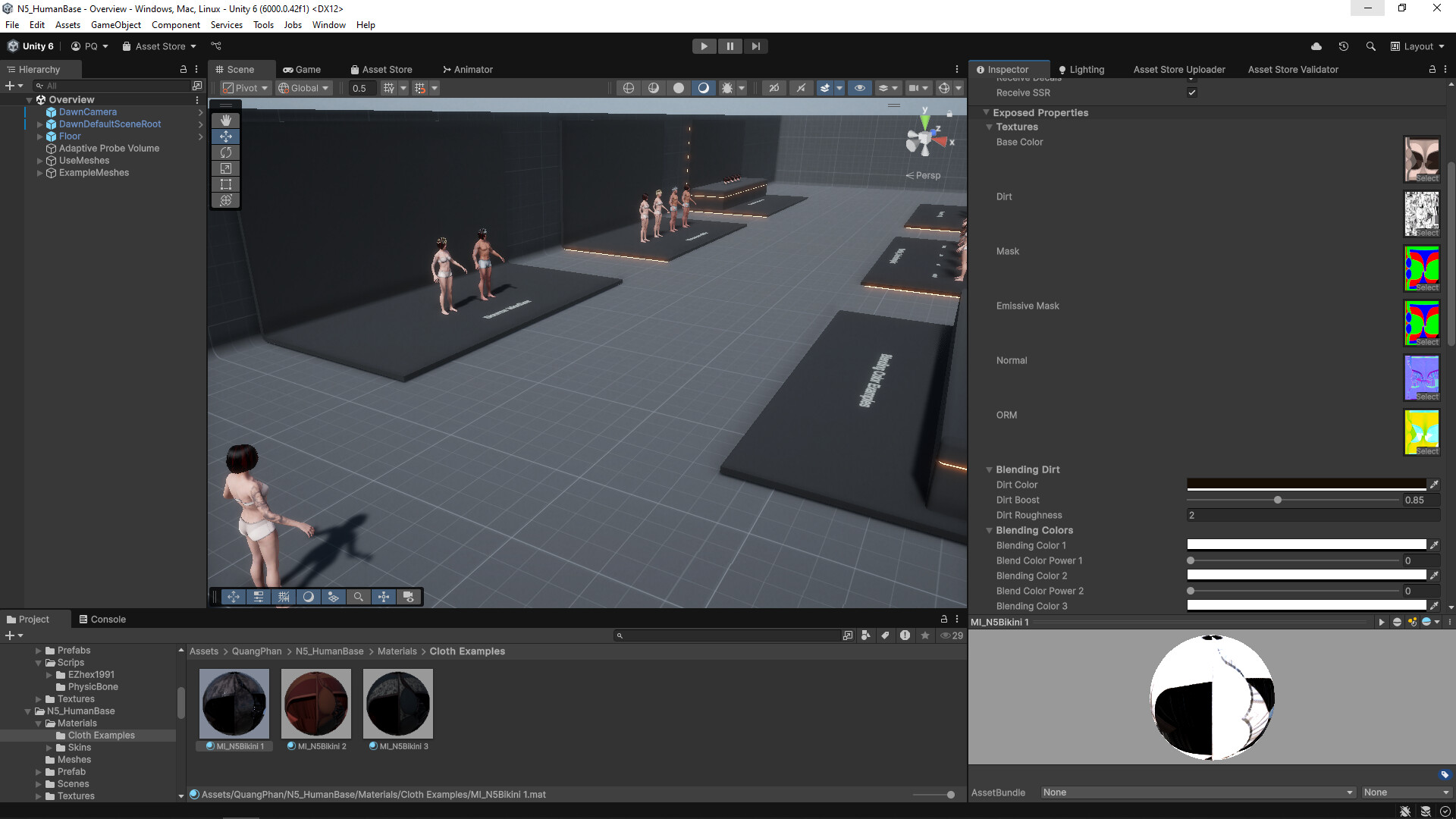
Explore a world of customization where nearly every part of the character can transform in color and emit light. Unlock the potential by simply accessing the character's current material, adjusting hues and intensities to craft a unique essence that resonates with your vision. Delve into a seamless experience as the customizable sections are meticulously organized and annotated, ensuring a user-friendly journey through the realms of creativity and personalization.


Thank you for your past and ongoing support, it's a great source of motivation for me to strive and create continuously. I am committed to delivering the best products for you, and I hope that you will continue to accompany me, share your passion, and explore together on this journey!

My stores: ⭐FAB  ⭐Asset store  ⭐Artstation store  ⭐CGTrader store

N5 Character Guidelines Part 2

General / 18 May 2026

How to Active breasts bouncing:

(with Unity, all breasts bouncing physic setup ready, you don't need do anything)

Download UE5 breast bouncing file


How to get nake version in UE5:

(with Unity nake version including Original Prefabs, you can active it by unhide UpperBody_nake and BottomBody_nake on character hierachy)

Step 1: Download FBX file on N5 package and extract it

Step 2: Import skeleton meshes from Character_0 folder to UE5

You should use import option following this one

nake male character like this

get nake female character like this

Step 3: Download Skin Raw files from N5 Package/Additional file then Reimport nake skin textures

Open QuangPhan/N5_PackageName/Textures/Skin

With Virtual Texture

Right click on texture and choose Reimport or open texture and click Reimport

Then choose unCensored texture in Textures file you just download in Additional file

After import completed, Skin material will show nake skin.

Step 4: Results: 


Thank you for your past and ongoing support, it's a great source of motivation for me to strive and create continuously. I am committed to delivering the best products for you, and I hope that you will continue to accompany me, share your passion, and explore together on this journey!

My stores: ⭐FAB  ⭐Asset store  ⭐Artstation store  ⭐CGTrader store


MHC: Groom Hair Guidelines

Tutorial / 15 April 2026

Hello my friends, this tutorial will show you how to using MHC Groom Hair packages: 

Step 1:  Download .mhpkg file from FAB, in your project create new folder and name it what you want then import .mhpkg file or drag and drop .mhpkg file here.

Step 2: After import completed you will have files like this: 

Step 3: Open your Metahuman Character and drag and drop [WI_GroomHair] to Hair & Accesories > Hair (Grooms) section:

Then double click on WI_GroomHair you just created in Hair (Groom) section to equip it: 

You can move to Details tab to edit groom hair color such as Dyeing, Ombre, Highlight .... as you want

Step 4: After completed edit color and everything you want, so you need Create Full Rig and Download Textures for character to Assemble whole character and Groom Hair, if you did Create Full Rid and Download Textures so just click on Assemble to processing assets: 

If you love the quality of this groom, feel free to visit my store and check out my upcoming Premium hair assets! Your 5-star reviews truly motivate me to release even more high-quality freebies for the community.

Explore my Premium Assets : My FAB store

Technical Support & Tutorials : Discord

MHC Guidelines

General / 23 September 2025

Character overview:

The MHC packages are products designed to be compatible with MetaHuman characters, supporting Unreal Engine version 5.6 or higher. Each package includes clothing and accessories such as hair and weapons, similar to the N5 and G2 packages I have released on FAB (please note that beards are not included as the blendshapes will not be compatible with the MetaHuman face).


The MHC packages use materials for clothing and hair similar to the N5 packages. If you are already familiar with this, you can use them in the same way as before. If you have not used them before, you can open the Overview map to view the examples that have been set up. Additionally, on the Material Install (MI_), there are parameters with detailed notes; when you hover over each parameter, the notes will appear to assist you in understanding them better.


How to use:

Active Metahuman and Chaos Cloth plugins:

To start using the MHC package, you need to activate the following plugins:


Note: These plugins are absolutely necessary and if you don't activate it before importing the package, your project or assets will probably crash.

Import Input file after import MHC package to your project

In this video I will guide you to import input file ddeerr to control character in overview map, first step using MHC package.


Create your Metahuman fit with N5 body form character

Hello,  MHC packages by default I will set to use for Metahuman characters whose body size matches the character in the N5 packages. In this video I will show you how to create Metahuman characters that matches N5 male and female characters.


Equip clothing mesh on your MetaHuman character

This video will show you how to equip clothing meshes on Metahuman character and edit skin mask materials.


Bake Mask Texture following your choice

This video will show you how to bake mask texture


Replacing your Metahuman Character on TPS Blueprint

This video will show you how to replacing your Metahuman Character on TPS Blueprint.


Equip Resizable Outfit on Your Metahuman characters

This video will show you how to Equip Resizable Outfit on Your Metahuman characters


The issues we will encounter

This is the problem we encountered after creating full rig in MetaHuman Creator, I'm still looking for a solution, if you know how to fix it, I'd appreciate it.


If you need direct support, please do not hesitate to contact me at:

Thank you for your continued trust and support!

My stores: ⭐FABAsset storeArtstation store  ⭐CGTrader store